 We are releasing the first version of Leptodon, our Leptos UI toolkit, into the wild.
This release of Leptodon contains UI components for general application development. However, the end goal is to make Leptodon capable enough to easily build complete data science dashboards and applications with. Since at Open Analytics we believe in open source, we are releasing this project on GitHub under an Apache-2.0 license. We hope it will prove useful to build new websites and applications with! Join us in exploring some additional information, our technical choices and a few examples below.
We are releasing the first version of Leptodon, our Leptos UI toolkit, into the wild.
This release of Leptodon contains UI components for general application development. However, the end goal is to make Leptodon capable enough to easily build complete data science dashboards and applications with. Since at Open Analytics we believe in open source, we are releasing this project on GitHub under an Apache-2.0 license. We hope it will prove useful to build new websites and applications with! Join us in exploring some additional information, our technical choices and a few examples below.
About
Leptodon is a Leptos based component library written in Rust. Leptos employs a reactive-graph system to do targeted DOM updates. This makes Leptos suitable for highly interactive applications without causing unnecessary slowdowns in your browser. Combining the reactive-graph with a powerful fully typed language like Rust means we should be able to build robust and efficient components for data science applications.

Leptos allows you to write almost native HTML inside Rust using the power of procedural macros. This Rust-HTML mix is called RSX and this mix can be interpolated with real Rust code (a lot like JSX) to create interactive components. A classic example is shown below to create a blue “+1” button that increments a counter:
// Rust code
let count = RwSignal::new(0);

view! {
    // RSX
    <p>
        {move ||
            format!("Button was pressed {} times!", count.get())
        }
    </p>

    <Button
        appearance=ButtonAppearance::Primary
        shape=ButtonShape::Rounded
        icon=icon::AddIcon()
        on_click=move |_| {
            count.update(|old| *old += 1);
        }
    >
        1
    </Button>
}
Properties like appearance are type checked by the Rust compiler, which means passing a non-existent option is impossible.
Styling with Tailwind
We chose to have Tailwind v3 as the default CSS framework to style components.
Tailwind maps CSS properties to class names (e.g. padding-right: 1px to pr-px). This system allows us to style almost everything straight in the component on the exact HTML element without having very large style=... blocks.
This keeps the components cohesive with less interference between them.
To keep this efficient, Tailwind generates a CSS file containing only the classes used in the source code.
This is problematic for our project since we are building a crate which, by default, Tailwind cannot see the source code of.
To work around this, we expose our source code via an at build-time generated function.
Projects depending on Leptodon are expected to place the Leptodon source code into a file scanned by Tailwind, this is done for you by our starter template!
Docs powered by 🦀 macros
To aid developers in using our components we added component demos with their source code beneath on our website. See the Leptodon badge demo for an example! To keep the demo examples’ source code blocks in sync with the demonstrated components we employed Rust procedural macros. Our #[generate_codeblock] macro when applied on a demo component, creates a second component containing a codeblock of the annotated function’s source code! This guarantees our demo page and the component source code stays in sync. Lastly we have a table of the parameters of each demonstrated component at the bottom of the pages. These are also generated, but via the #[generate_docs] macro on the Leptodon components.
This code generation enables us to more efficiently maintain the demo site, since documentation changes are immediately reflected.
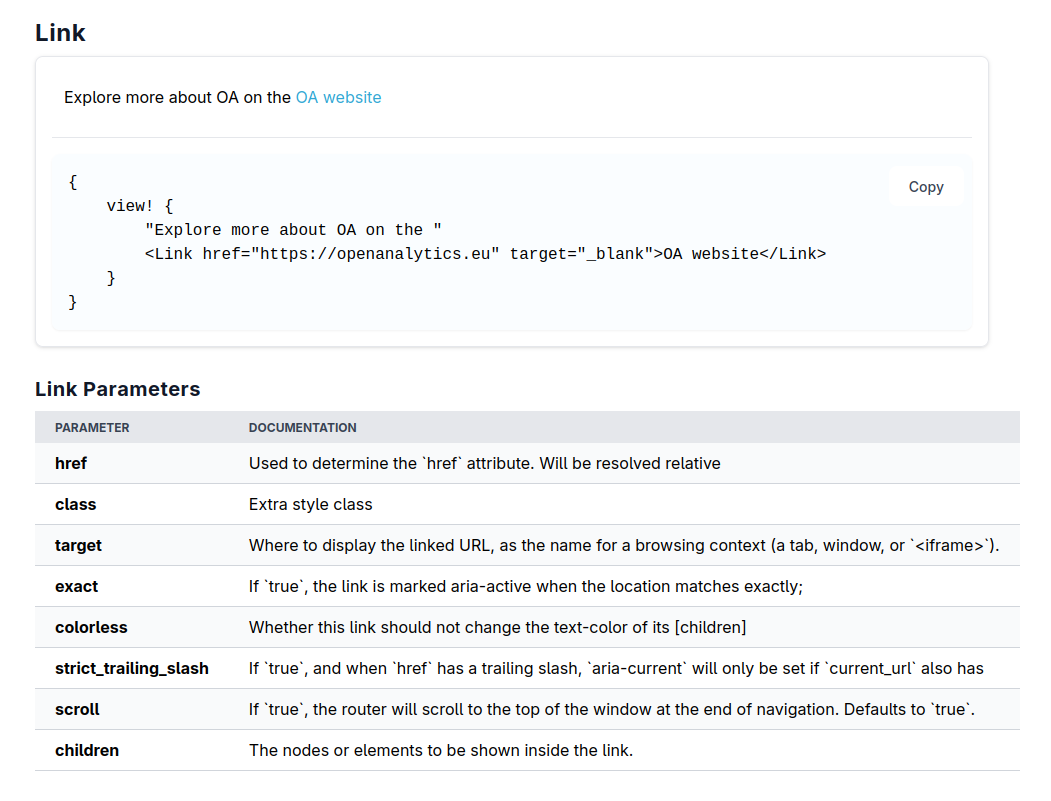
You can see the relation between code and output below.
#[generate_codeblock(LinkExample)] // Generates the box containing the demo + source code.
#[component]
pub fn LinkDemo() -> impl IntoView {
    view! {
        "Explore more about OA on the "
        <Link href="https://openanalytics.eu" target="_blank">OA website</Link>
    }
}

#[component]
pub fn LinkDemoPage() -> impl IntoView {
    view! {
        <Title text="Link"/>

        <FixedCenterColumn>
            <Heading4 anchor="link">"Link"</Heading4>
            <LinkExample /> // call generated function

            <leptodon::link::LinkDocs /> // call generated function
        </FixedCenterColumn>
    }
}
Output:
Automated testing
Testing is of large importance when creating production applications, we want to ensure users a frictionless experience. For traditional input/output testing of functions we use unit tests written in Rust. For anything more complex we run a suite of end-to-end tests with Playwright, in which different web browsers load our test pages to assert each component still behaves like it should. This helps catch bugs early to keep web pages looking and functioning well. We require every interactive component to be tested.
Our CI pipeline runs the tests on every commit and PR to the main or develop branch in addition to some other code style checks.
v1.0 highlights!
We listed our favourite components below:
A Calendar with custom event support: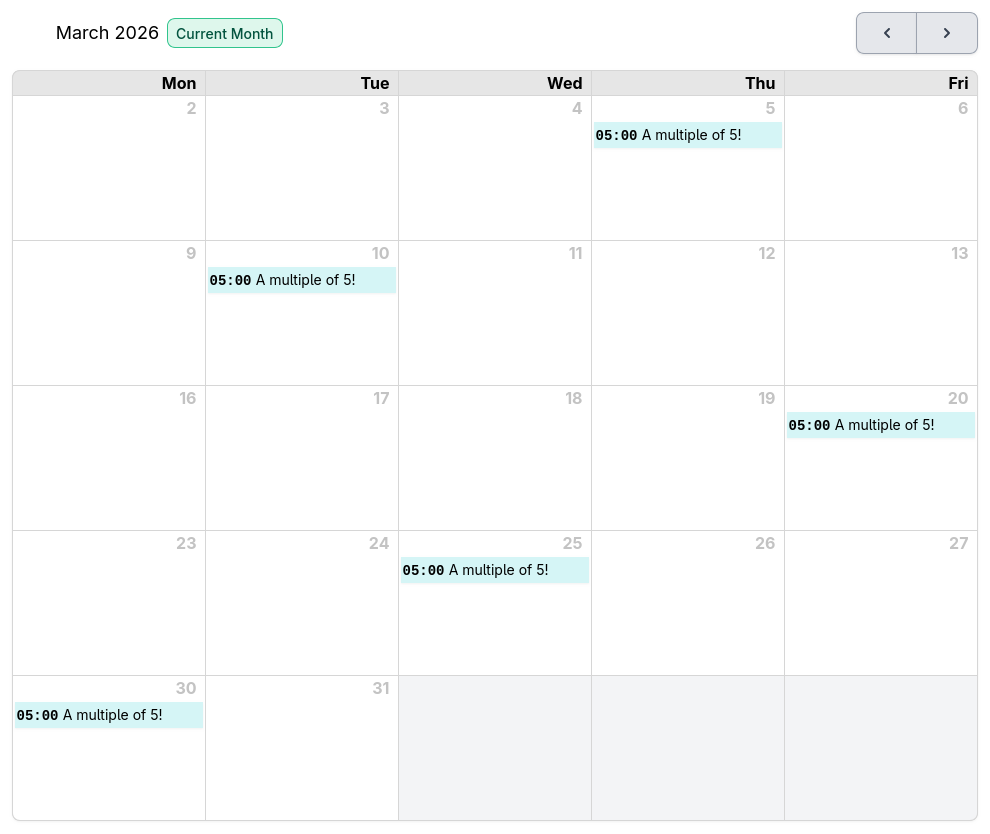 | A combobox tag-picker: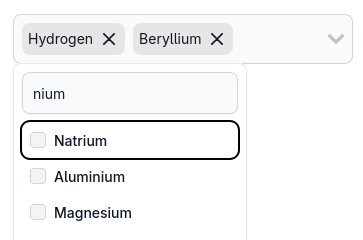 |
An assortment of labels: | A detailed upload input: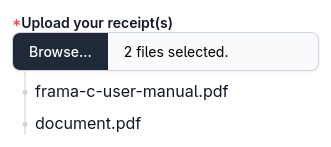 |
| Other components can be discovered at https://leptodon.dev | |
If you have any questions, suggestions or feedback feel free to reach out to us via our support page or on GitHub.